
I don’t know about you, but comparing the features of different course platforms gives me a headache.
On the surface they often seem to offer similar capabilities, but it’s only when you sign up and start using those features that you really understand how good (or bad) they are.
Sometimes, a feature that looks great from the outside has unexpected limitations.
Other times a feature that isn’t given much fanfare turns out to be really cool.
One of the fun parts of getting to grips with Podia has been discovering those features which are unexpectedly awesome.
Here are five features I love (and use!) that deserve more attention.
1. Lesson comments
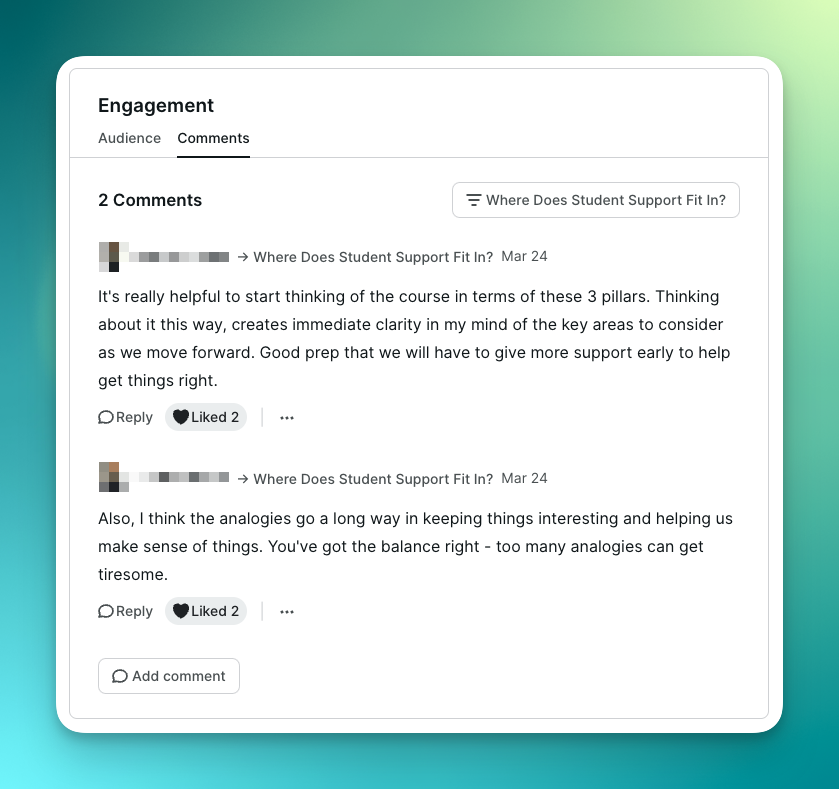
Every course lesson in Podia has the option of a comment section beneath it. This allows your students to leave comments, similar to visitor comments on blog posts.
It’s a simple enough feature, but powerful if used creatively.
Here are three ideas:
- When beta testing a course, the comment section is a great place to get feedback from students while the content is still fresh in their minds. Just include a little prompt at the bottom of your lesson for students to leave you feedback.
- Once you’ve launched your course for real, let students ask questions about the content directly via the comments. This means you can get your students unstuck as quickly as possible and if several people are getting stuck in the same place that’s a clue you need to clarify something.
- When a course lesson includes homework, the comments section is also a great place for students to post their homework and get feedback direct from you. Other students can learn from your answers too.
As the course owner, you get notified of comments as soon as they arrive.
And when you reply, the student gets a notification too!
2. Rich media embeds
When building a course, not all the material you want to include actually lives inside your course.
Let me explain…
Sometimes you want to embed content you created elsewhere, like on Airtable or Trello.
Other times, public content created by other people is perfect for highlighting a point or going deeper, for example: a TED talk, a TikTok video or even a single tweet.
Podia uses a service called Iframely to embed nearly 2,000 different types of content from other platforms in a matter of seconds.
Here’s how I’ve made this feature work for me:
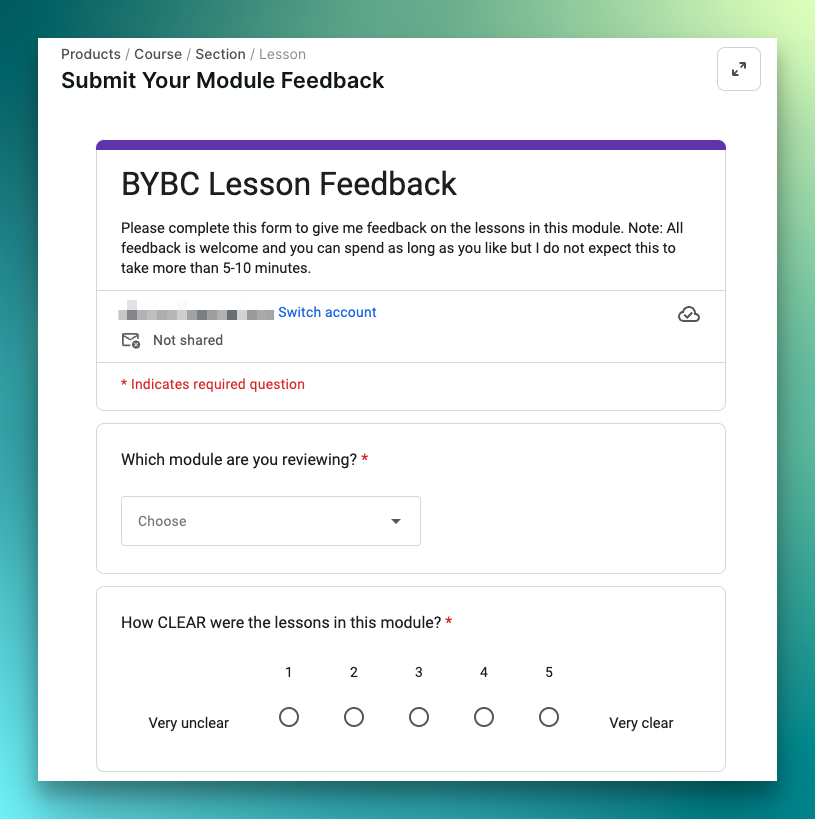
- Embedding Google Forms to collect feedback on my course lessons and assignments.
- Embedding fun and educational YouTube videos to help illustrate points made in my content.
- Embedding PDF versions of my lesson slide decks so that people can scroll through the slides in place, rather than being forced to download them to their computer.
Most other platforms that allow embeds require you to use fiddly embed code. Podia just needs the link.
3. Course progress reports
I run a small group mentoring program on Podia. The backbone of the program is a comprehensive online course.
Regular engagement with the content is crucial for success and so it’s really useful for me to know how each student is progressing.
Fortunately, Podia makes it super simple for me to see where people are at.
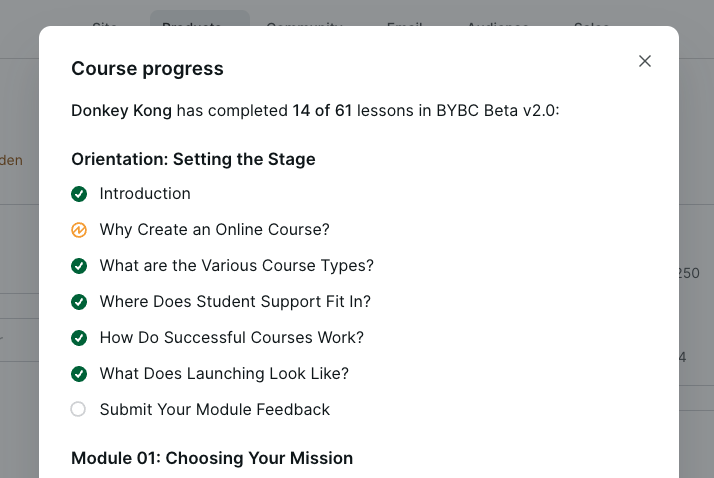
Every course has a list of its members with a summary of how many lessons they’ve completed. And one click takes you to a summary screen showing which lessons have been marked as complete and which haven’t.
The summary even shows lessons which have been viewed but not yet marked as complete.
That means I can follow up with students to see if it was a simple oversight on their part or if they need more help.
4. Community video uploads
I used to oversee a team that supported a large course on a WordPress-based platform. We ran twice-monthly “office hour” calls and posted the recordings.
Students who missed the call found it valuable but behind the scenes handling the recordings was a drag.
We had to download each recording from our webinar software. Then edit and compress it. Then upload it to Amazon S3. Then edit the WordPress page that listed the recordings and create custom embed code for the video. Then republish the page.
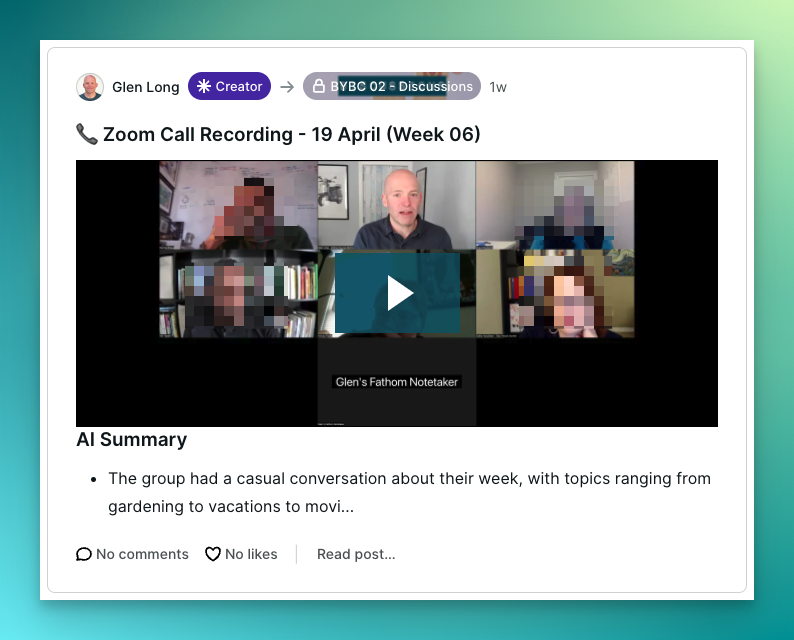
On Podia I simply grab the call recording from my local Zoom folder and upload it directly to a new post in my community.
No embed code, no worrying about the size of the video (I don’t pay any extra to upload big files). Job done!
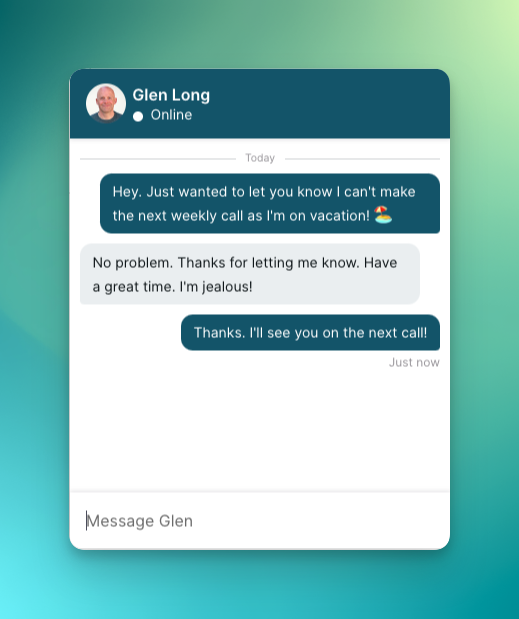
5. “In app” messaging
You know how some product sites have that little chat box in the bottom right corner?
The one that lets you send a message direct to the support team and maybe even jump straight into a live chat with a real person?
Well, Podia is one of the few course platforms I know of which has that chat feature built-in. It’s called Messaging, and it’s configurable too.
You can make it public so that any visitor (aka potential customer) can send you a message. If you’re logged into Podia when the message comes in, you can chat in real-time.
Alternatively, you can reserve the messaging feature for registered members and use it for customer support. It’s great for questions such as billing inquiries that people won’t want to ask in your member community.
How could you use these features?
When you see a feature listed on the product page of any course platform, it’s human nature to imagine the best version of that feature. And that’s before you factor in the inevitable marketing spin.
With Podia I’ve come across several features that seemed unassuming at first, but actually turned out to be surprisingly valuable in practice.
So how could you use these features in your business?